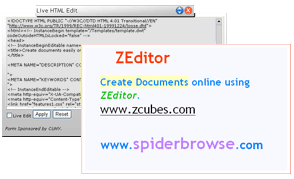
ZEditor
|
Experience Yet Unimagined!
|
|
ZCubes enables you to customize your
content, just the way you like it
|
ZSpace Editor
The ZSpace editor helps you mix
the canvas provided by the infinite ZSpace with infinite layers and infinite
ZCubes…..with your infinite creativity! Manage your ZSpace by arranging and
aligning all your artwork, text and different media files. With the ZSpace
editor you can even change background settings – color, size, placement and lots
more.
.jpg)
ZCube Editor
Drag & Drop content
onto the ZSpace and shape it in any way you like. Resize, rotate, flip, apply
special effects (e.g. transparency, opacity, halo and glow) and even add a
virtual pushpin to your pictures, text and other media. Layer different ZCubes,
overlap them, or pile them on top of one another by selecting the lower/raise
options. Place captions on your pictures and personalize albums by using the
header and footer functionality.
.jpg)
Text Editor
ZCubes
offers a fully loaded web-based word processor with spell check
capabilities that allows you to create and edit text documents from research
papers and official letters, to casual notes and reminders. Enhance your text by
using innovative tools and features and create great-looking documents to read,
share and print. Apply different font colors, styles, sizes, weights and
alignment. You can even highlight text and change background colors. Create
virtual sticky notes within seconds.

.jpg)
HTML Editor
Not a programmer? No problem! ZCubes is just the thing you need! Create fancy
special effects by simply dragging the HTML code from existing web content
and dropping it into the HTML
editor. Enhance your HTML skills by viewing the results of your HTML code instantaneously
with the "Live Edit” functionality.
.jpg)
|